


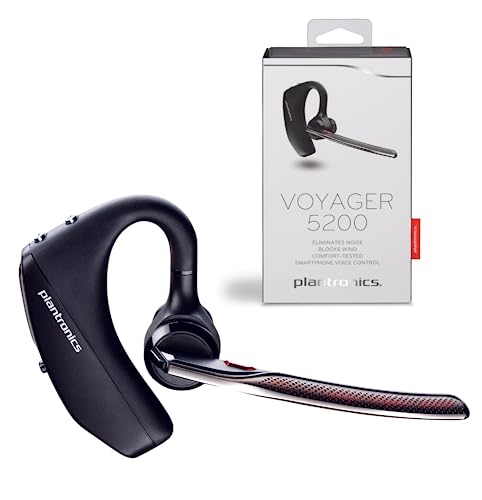
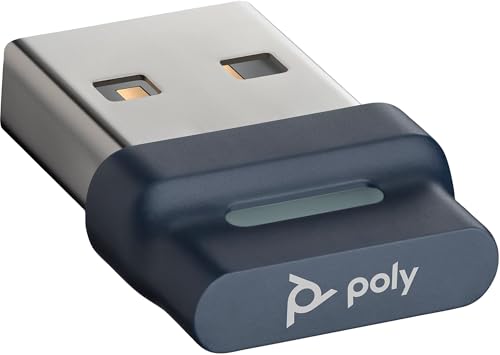
Plantronics BT600 Bluetooth USB Adapter
We designed the Plantronics BT600 to eliminate the wireless connectivity hassles that slow down your workday. This compact Bluetooth USB adapter pairs instantly with any Plantronics Bluetooth headset, delivering enterprise-grade audio quality without driver installations or complex setup steps. Just plug the adapter into any USB-A port on your PC or Mac, and you're ready to take calls with stable Class 1 Bluetooth range up to 30 meters.
The BT600 supports wideband audio for crystal-clear voice calls and connects to unified communications platforms including Microsoft Teams, Zoom, and Skype for Business. Our engineers built fail-safe pairing that survives system restarts and maintains your connection even in RF-dense office environments. Whether you're at a standing desk, moving between conference rooms, or working from a home office, the BT600 gives you the freedom to roam without dropping calls or sacrificing audio fidelity.
Technical Specifications
Wireless Range and Connectivity Performance
The BT600 uses Class 1 Bluetooth technology to maintain stable connections up to 30 meters from your workstation. We’ve tested the adapter in open office layouts, multi-story homes, and conference facilities — it consistently delivers uninterrupted audio even when you move between rooms or step away from your desk during a call.
Unlike consumer-grade Bluetooth dongles that drop connections when your laptop wakes from sleep, the BT600 automatically reconnects your headset within two seconds of system resume. The adapter’s interference mitigation algorithms adapt to crowded 2.4GHz environments, scanning for clear channels and hopping frequencies to avoid conflicts with Wi-Fi routers and wireless peripherals. You’ll experience the same call clarity whether you’re the only person in a home office or working in a 200-seat call center with dozens of active Bluetooth devices.
Unified Communications Integration
We certified the BT600 for every major unified communications platform your team uses daily. The adapter passes call control signals between your headset and softphone clients, so your answer/end, mute, and volume buttons work exactly as expected in Microsoft Teams, Zoom, Cisco Jabber, and RingCentral.
Wideband audio support ensures your voice is transmitted with the full frequency response UC platforms are designed to deliver — 150Hz to 6.8kHz bandwidth that captures vocal nuances consumer codecs often miss. When paired with a Plantronics headset that includes noise-canceling microphones, the BT600 helps you maintain professional audio quality even when you’re joining calls from noisy environments. Our accessories lineup provides additional tools for controlling audio routing and headset settings across multi-device workflows.
Setup and Compatibility
Installation takes under 30 seconds. Remove the BT600 from its packaging, insert it into any available USB-A port on your computer, and wait for the blue LED to illuminate. The adapter appears as a standard audio device in your operating system — Windows 7 through 11 and macOS 10.13 or later recognize it instantly without requiring proprietary drivers.
The BT600 ships pre-paired with all current Plantronics Bluetooth headsets, including the Voyager series, Savi W8200 UC, and BackBeat PRO models. If you’re using a non-Plantronics Bluetooth headset, press the pairing button on the adapter for three seconds until the LED blinks red and blue, then initiate pairing mode on your headset. The adapter stores pairing profiles for up to eight devices and automatically reconnects the last-used headset each time you power on your computer.
Complete Your Workspace Setup
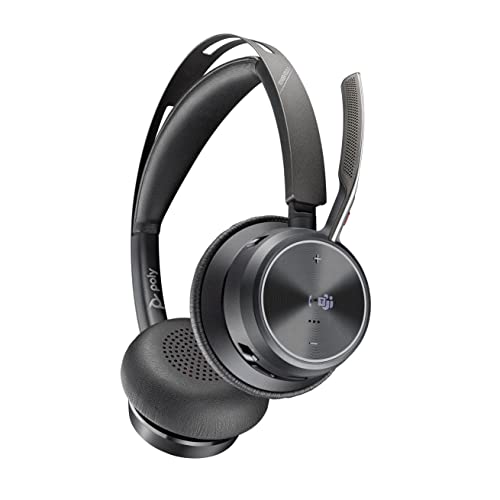


Rated 4.8 by verified buyers
Common Questions About the BT600
Yes, the BT600 works with any Bluetooth headset that supports standard audio profiles. While it ships pre-paired with Plantronics headsets for instant connection, you can manually pair third-party Bluetooth headsets by pressing the adapter's pairing button for three seconds until the LED blinks red and blue, then initiating pairing mode on your headset.
You'll get the best performance with Plantronics headsets because our firmware is optimized for the codec and connection handling specific to our devices, but the adapter functions as a standard Bluetooth audio device for any manufacturer's equipment.
The BT600 provides up to 30 meters (98 feet) of wireless range in open environments using Class 1 Bluetooth technology. Real-world range depends on physical obstacles between the adapter and your headset — typical office cubicle walls and drywall reduce effective range to 15-20 meters, while metal filing cabinets and concrete walls create more significant signal attenuation.
You'll maintain stable audio quality as long as you stay within line-of-sight or one-room separation from the adapter. The connection automatically adjusts transmission power to balance range and battery life on your headset.
No, the BT600 uses standard USB audio class drivers built into Windows 7 and later, plus macOS 10.13 and later. Your operating system recognizes the adapter as a generic Bluetooth audio device immediately after you plug it in.
There's no software to download, no installation wizard to run, and no admin rights required. Just insert the adapter, wait for the blue LED to light up (usually takes 5-10 seconds), and your pre-paired Plantronics headset will connect automatically.
No, the BT600 is designed exclusively for computers with USB-A ports. It functions as a Bluetooth receiver that adds wireless headset capability to PCs and Macs, not as a transmitter for mobile devices.
Smartphones and tablets already include built-in Bluetooth radios, so they connect directly to Bluetooth headsets without requiring an external adapter. The BT600 solves the specific problem of older computers with unreliable built-in Bluetooth or workstations that lack Bluetooth entirely.
The BT600 stores pairing information for up to eight Bluetooth devices in its internal memory. However, it actively connects to only one audio device at a time — if you turn on a second paired headset while the first is connected, the adapter will disconnect the first device and connect to the second.
This multi-device memory is useful if you alternate between different headsets throughout the week or share a workstation with a coworker who uses their own headset. The adapter remembers all previously paired devices and reconnects whichever one you power on.
First, make sure your headset is in pairing mode — most Plantronics headsets enter pairing mode when you power them on while holding the call control button for 5-6 seconds until you hear 'pairing' or see the LED flash red and blue.
If the headset is in pairing mode but the BT600 doesn't connect, press the small pairing button on the adapter itself for three seconds until its LED blinks red and blue. The adapter should discover your headset within 10-15 seconds. If pairing still fails, unplug the BT600, restart your headset, then plug the adapter back in and retry pairing from the beginning.
Yes, the BT600 operates independently of your computer's built-in Bluetooth radio. Your operating system treats the adapter as a separate audio device, so you can choose which Bluetooth source to use for your headset connection.
Many users prefer the BT600 even when their laptop includes Bluetooth because the external adapter often provides better range, more reliable reconnection after sleep, and lower audio latency than integrated Bluetooth modules. You can disable your computer's internal Bluetooth in device settings if you want to avoid confusion about which radio your headset connects to.